Your SIM, on your iPhone
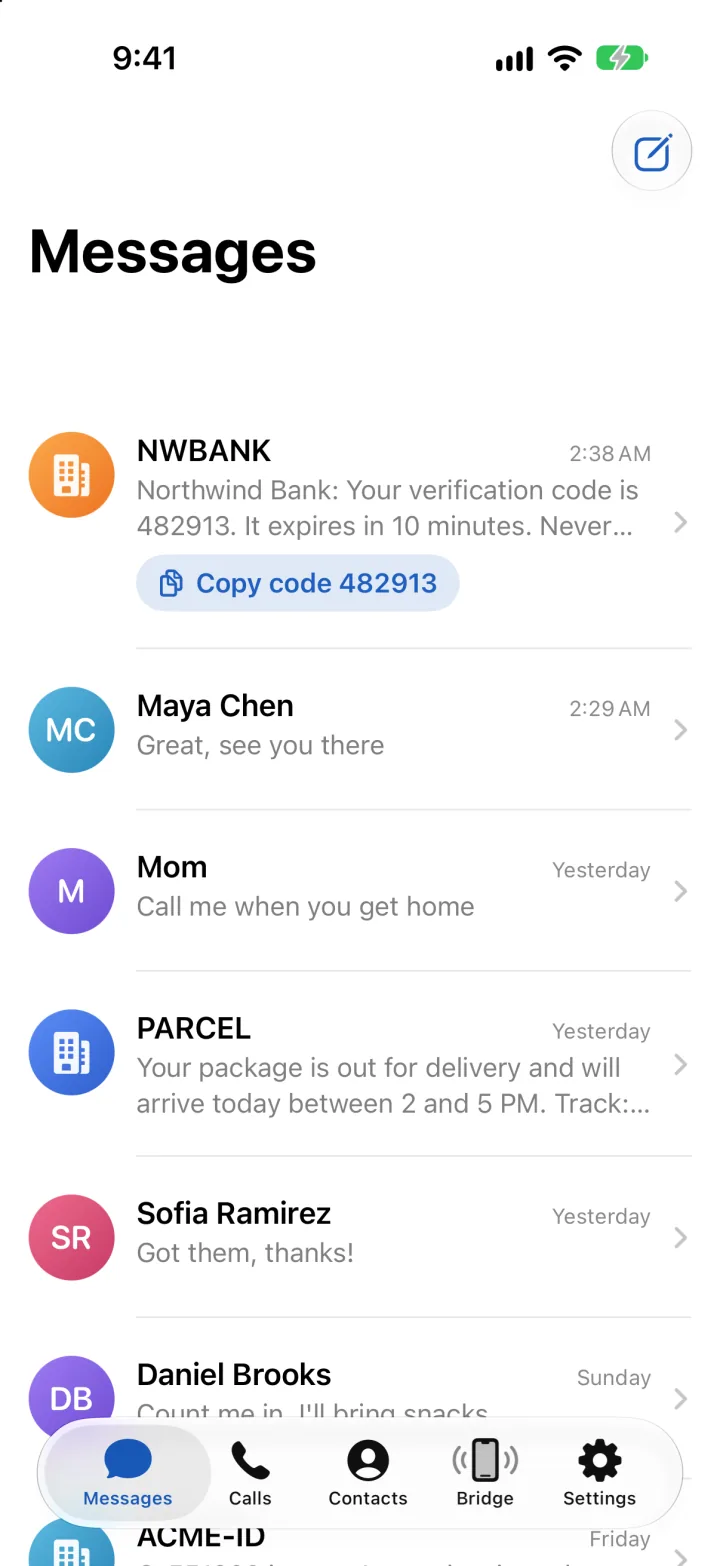
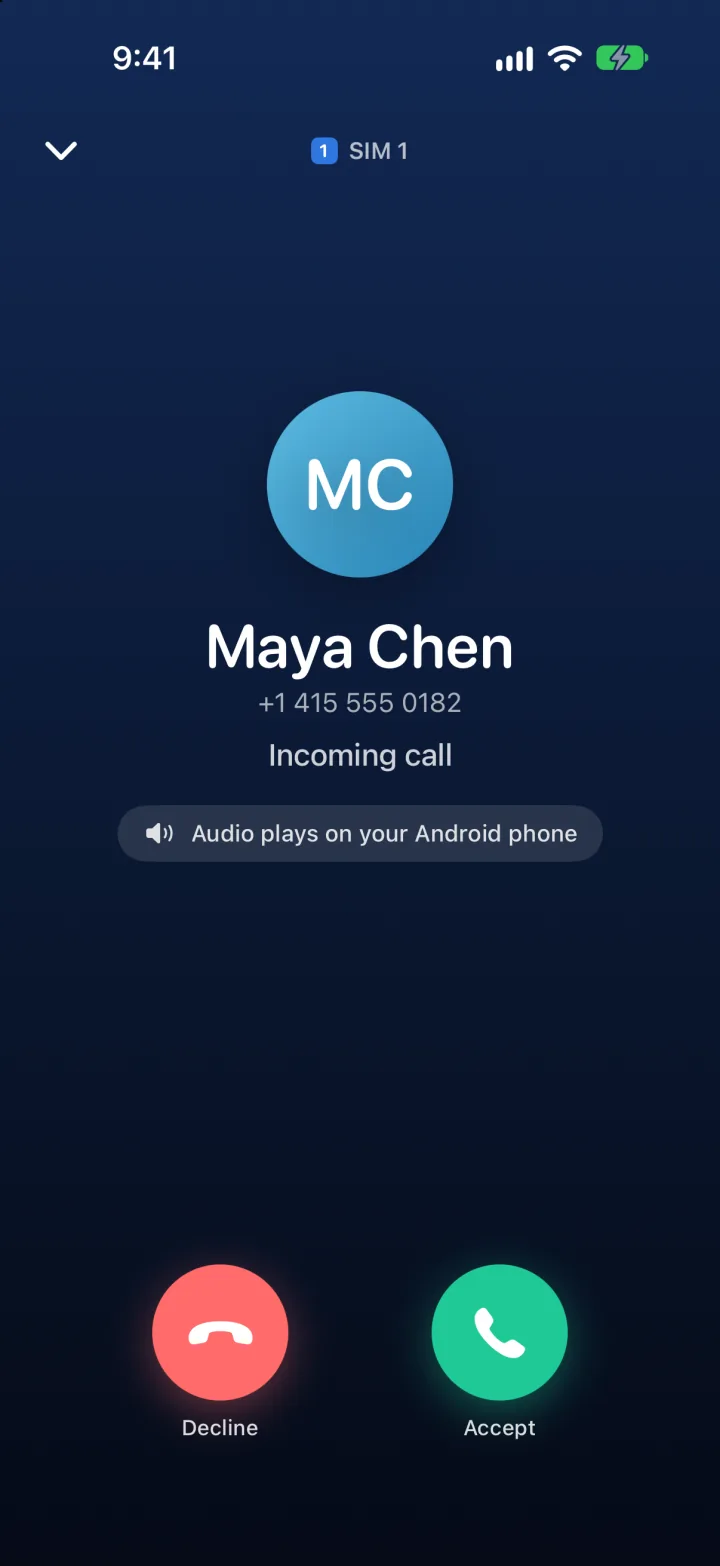
Calls ring on the iPhone’s own call screen. Texts arrive in Pairline with a notification, and you reply from the iPhone.
Private by design · Source available
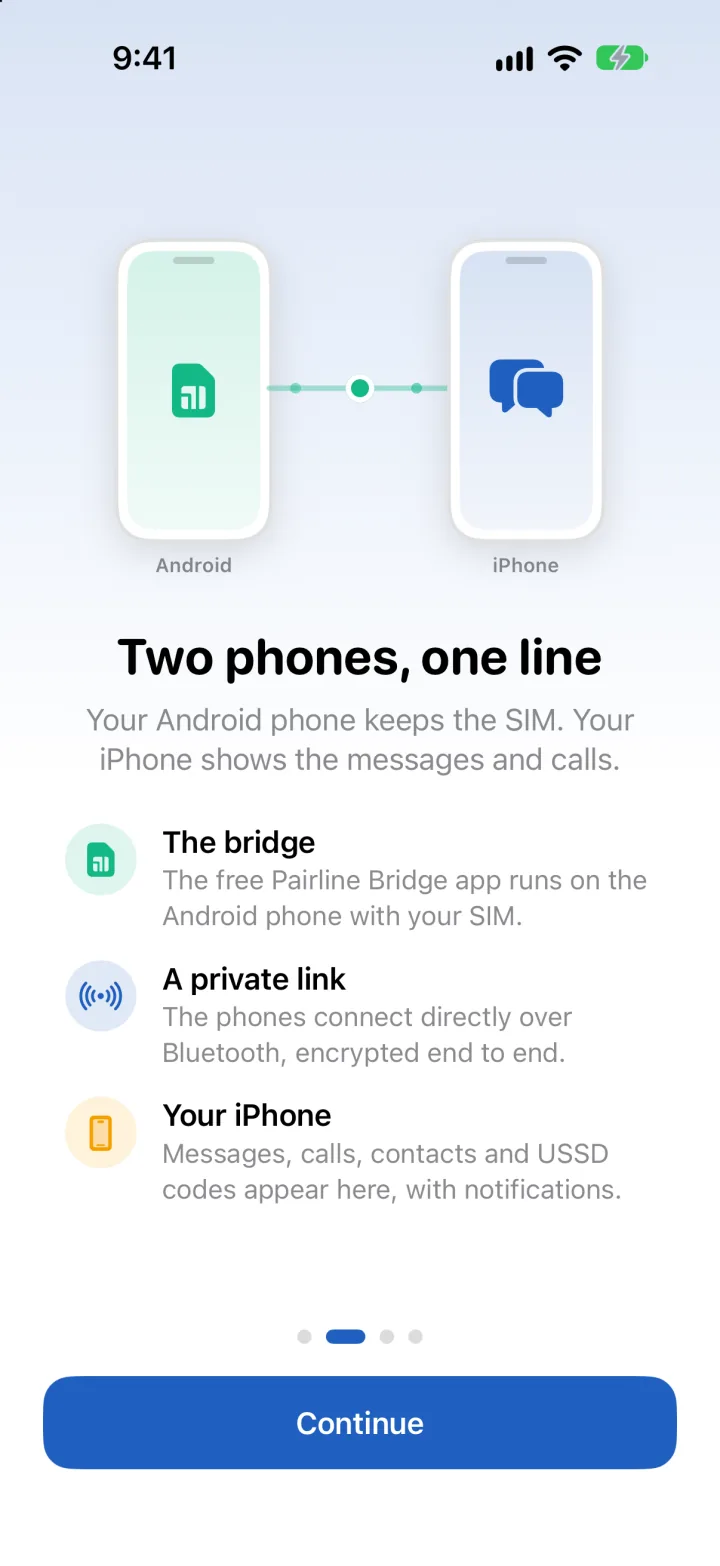
Calls, SMS, contacts, call history and USSD codes from the phone that holds your SIM, relayed to your iPhone over an end-to-end encrypted link between your own two phones.
Relaying
Status
Incoming call
Pairline · SIM 1
MWhat it is
Lots of people keep a second phone just for a second number: a local SIM, a work line, the number your bank sends codes to. Pairline turns that Android phone into a quiet bridge on your desk or in your bag, and brings its calls and messages to the iPhone you actually use.
Calls ring on the iPhone’s own call screen. Texts arrive in Pairline with a notification, and you reply from the iPhone.
The two phones talk directly to each other, encrypted end to end. There is no Pairline server to send anything to.
All of the source code will be public before the first release, and every Android release is built by GitHub Actions so it can be checked byte for byte.
Features
Pairline relays what the Android phone’s SIM can do, and adds the small touches that make it feel at home on iPhone.
Incoming calls ring on the iPhone’s native call screen, even when it’s locked. Answer, decline or dial from either SIM.
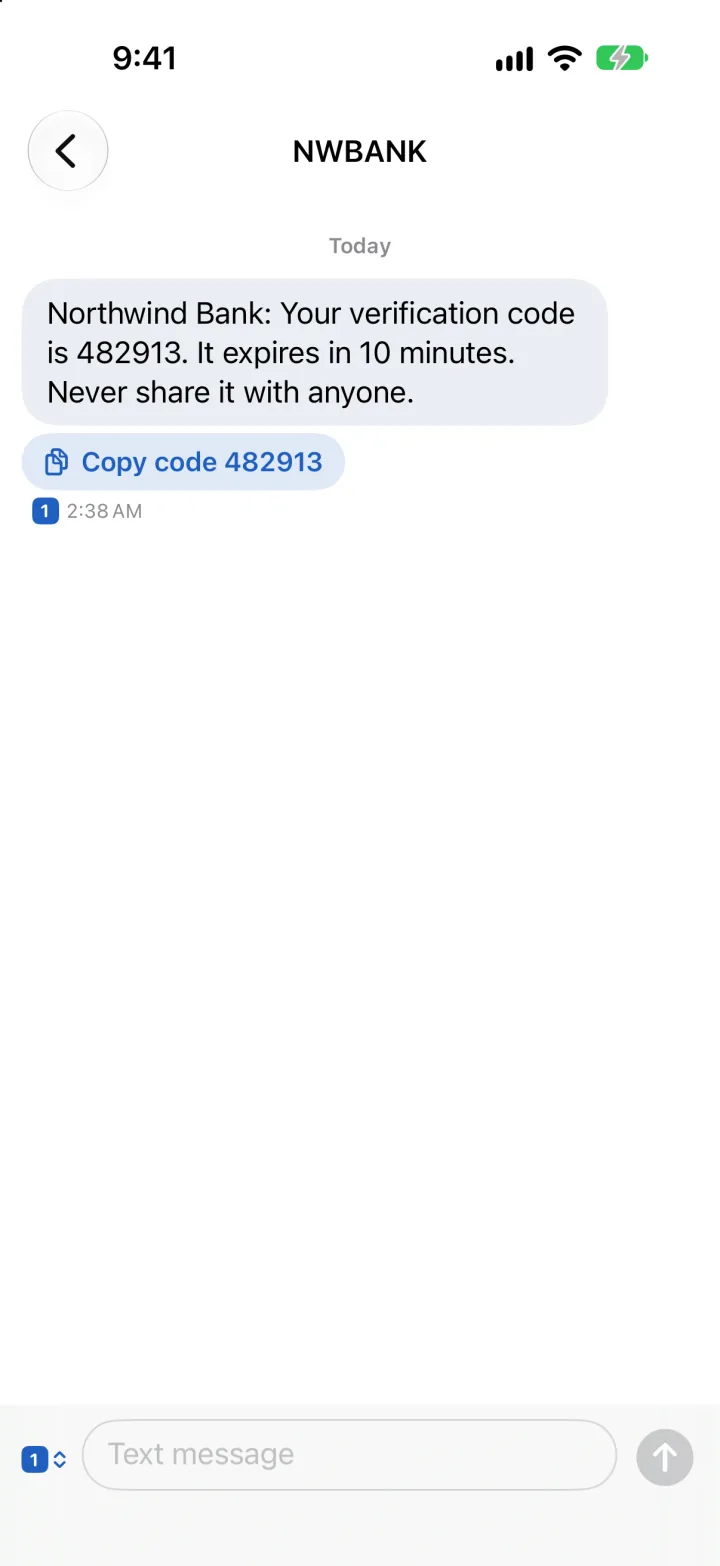
Read and send texts from your iPhone. Verification codes are spotted automatically, with a one-tap Copy right in the notification.
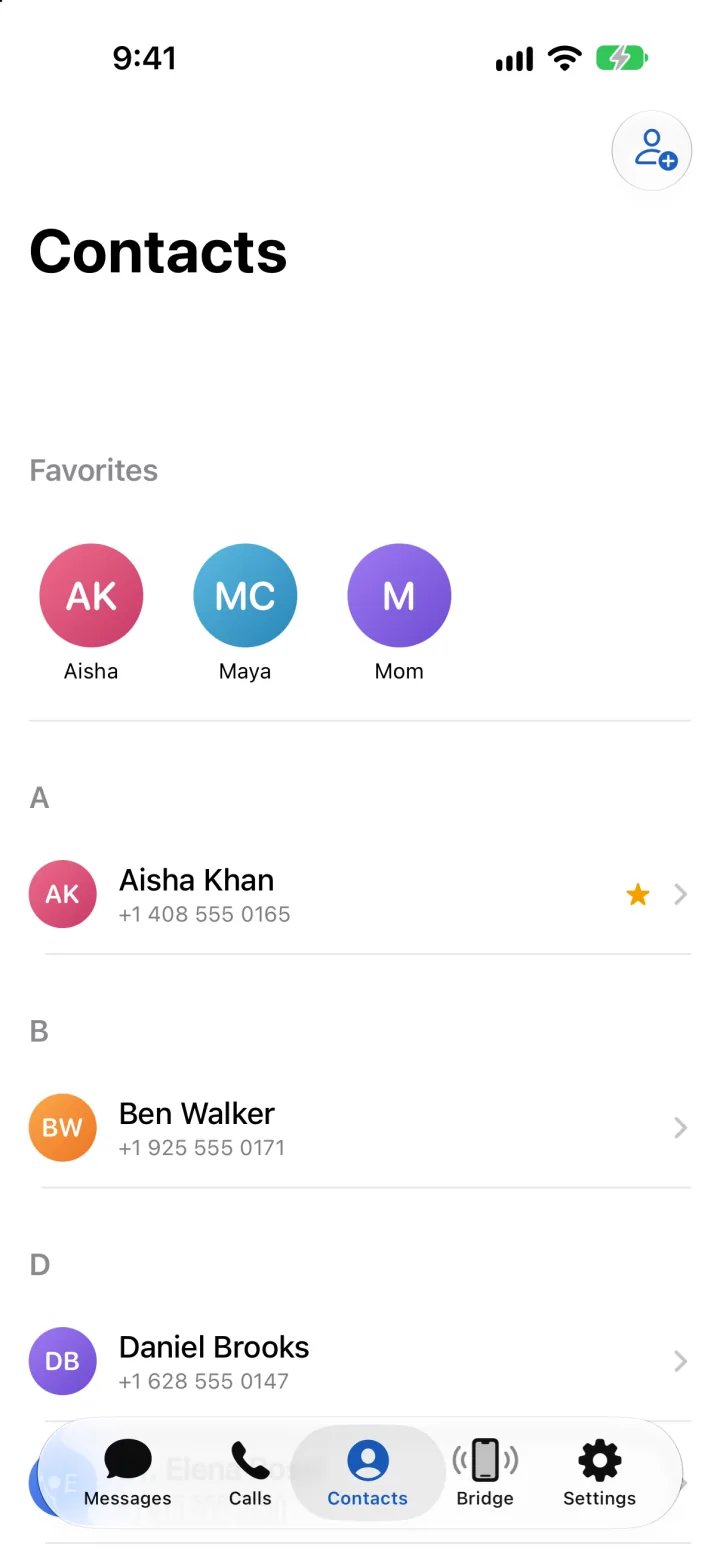
See caller names and the bridge phone’s call history on your iPhone, kept only on your own devices.
Check your balance, buy a data bundle or run any carrier code like *123# from the iPhone, and read the reply.
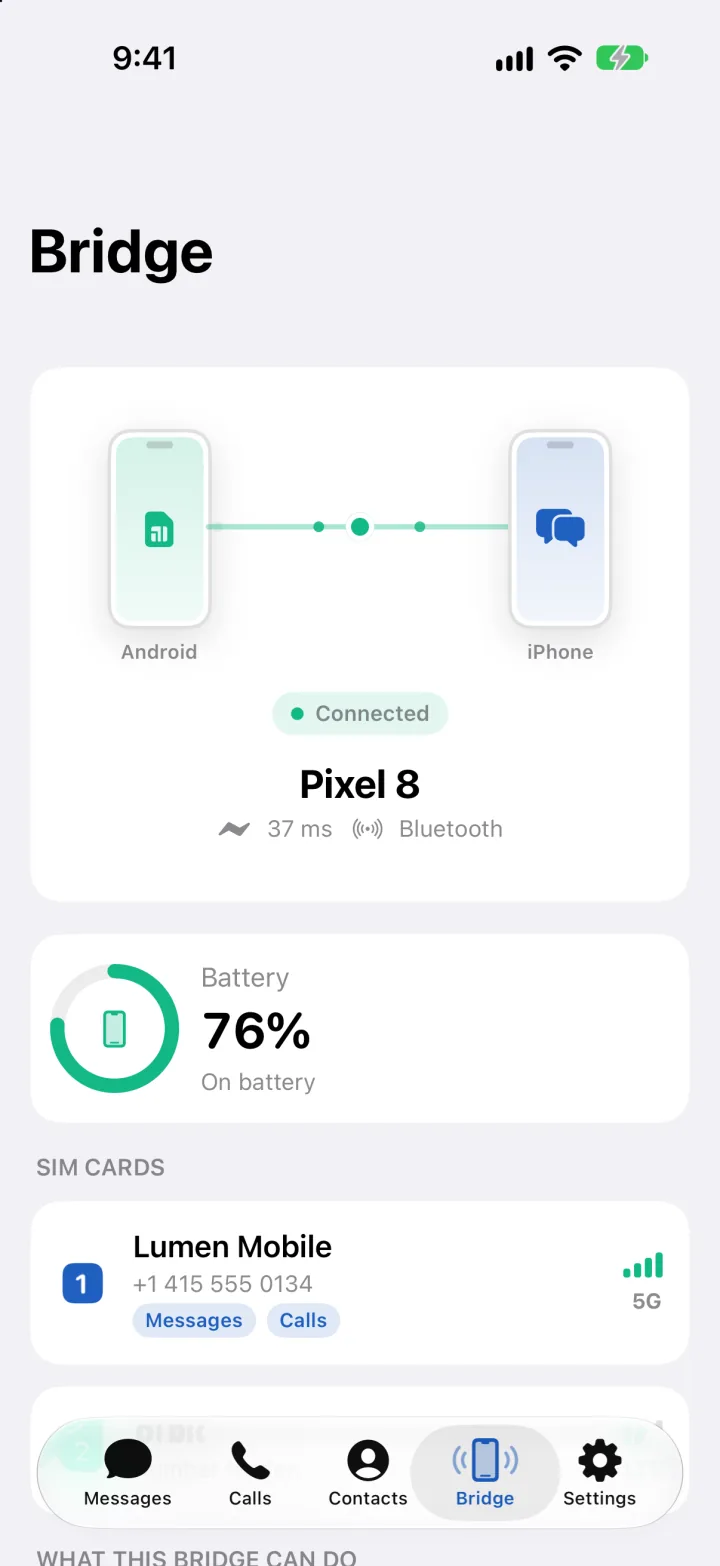
Two SIMs in the bridge phone? Pick the one to call or text from, every time.
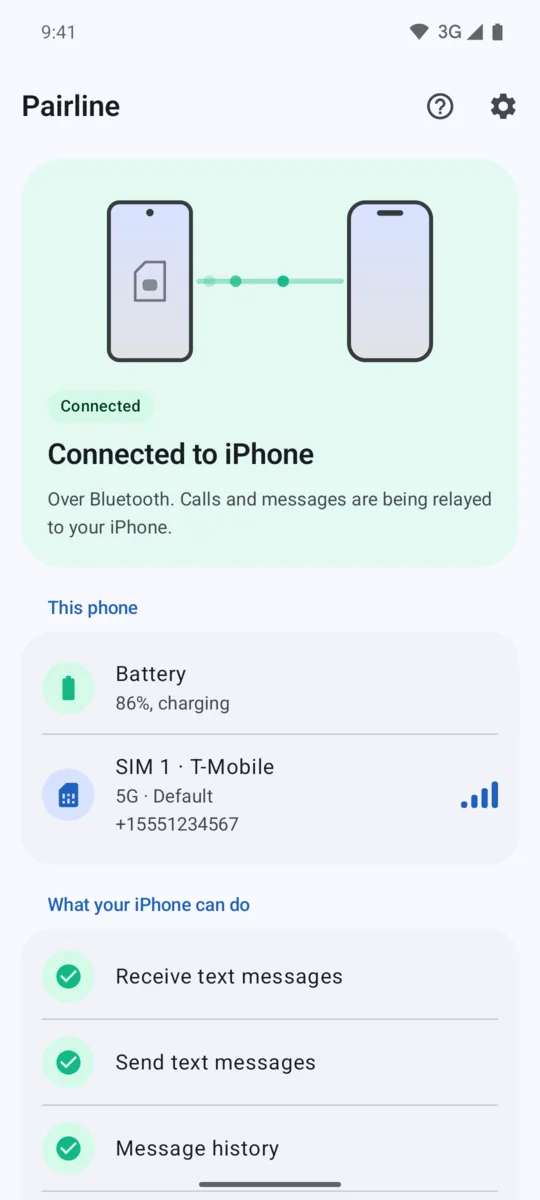
See the bridge phone’s battery, signal and carrier at a glance, with an alert before its battery runs low.
Explore the whole iPhone app with sample messages and calls before you set anything up. No second phone needed.
English, Persian and Arabic, with proper right-to-left layouts. Phone numbers and codes always stay readable.
How it works
Your phones pair once and then talk only to each other. Nothing in between.
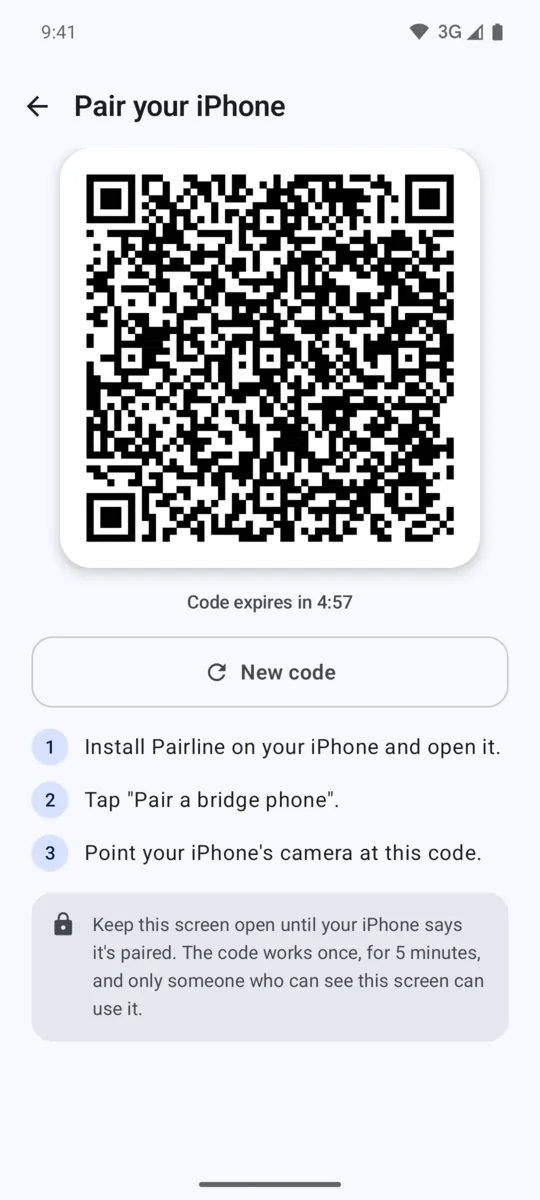
Your iPhone scans a code shown by the bridge app. The phones exchange keys directly: no account, no cloud, no one else involved.
Everything between the phones is encrypted with keys that never leave them, using standard, well-reviewed cryptography (P-256 ECDH, HKDF-SHA256, AES-256-GCM).
Messages, contacts, call history and call audio go only between your paired phones. No server in between, no accounts, no analytics, no ads.
A closer look
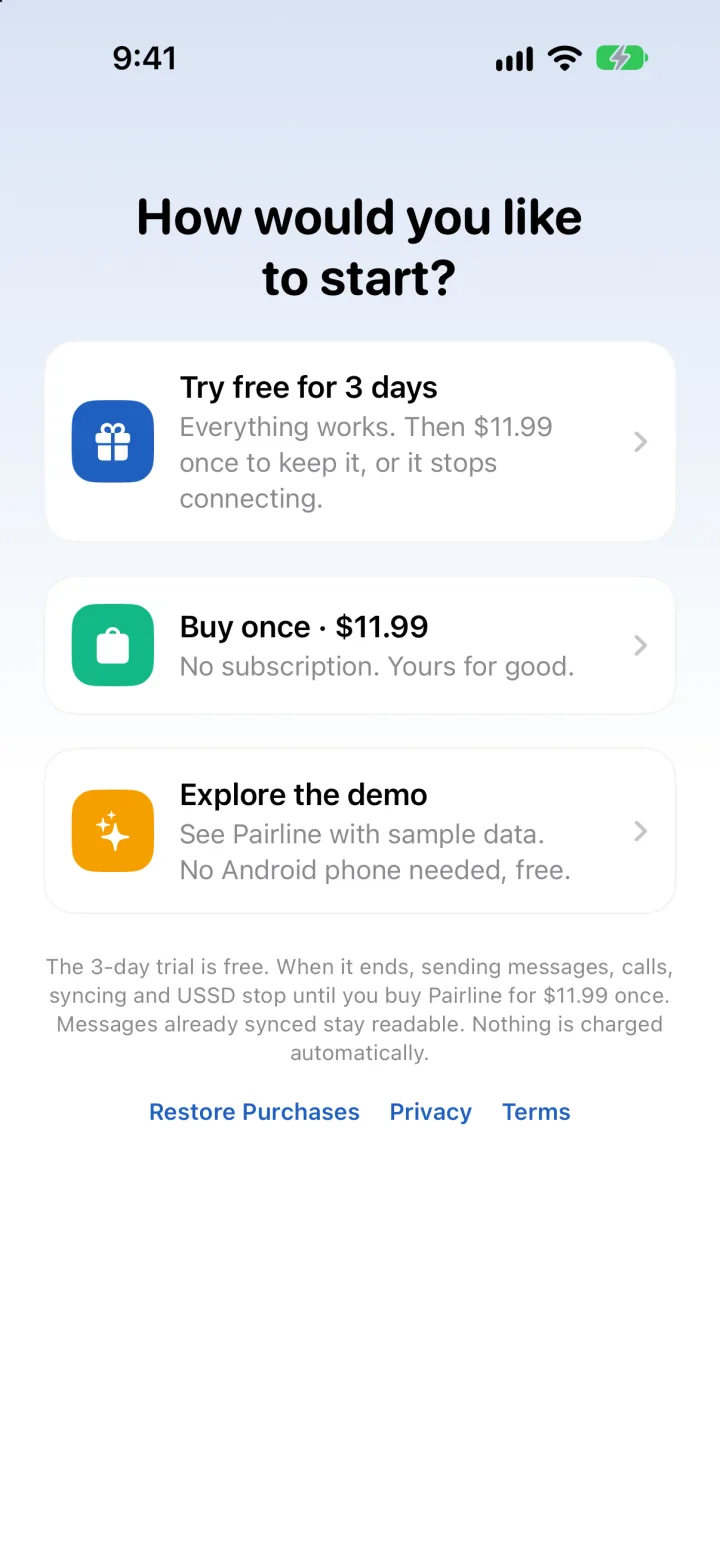
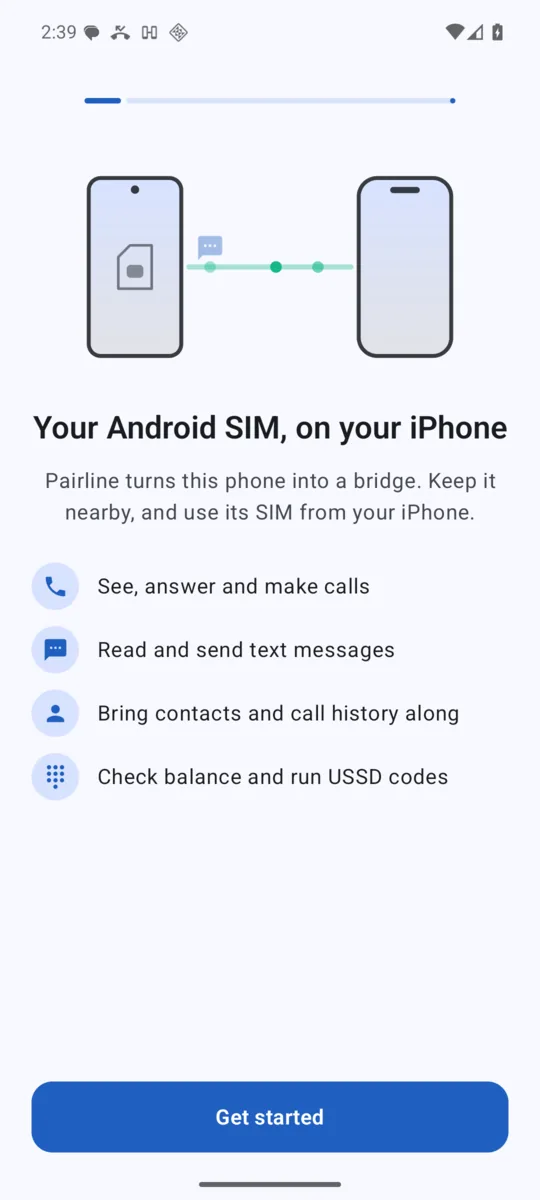
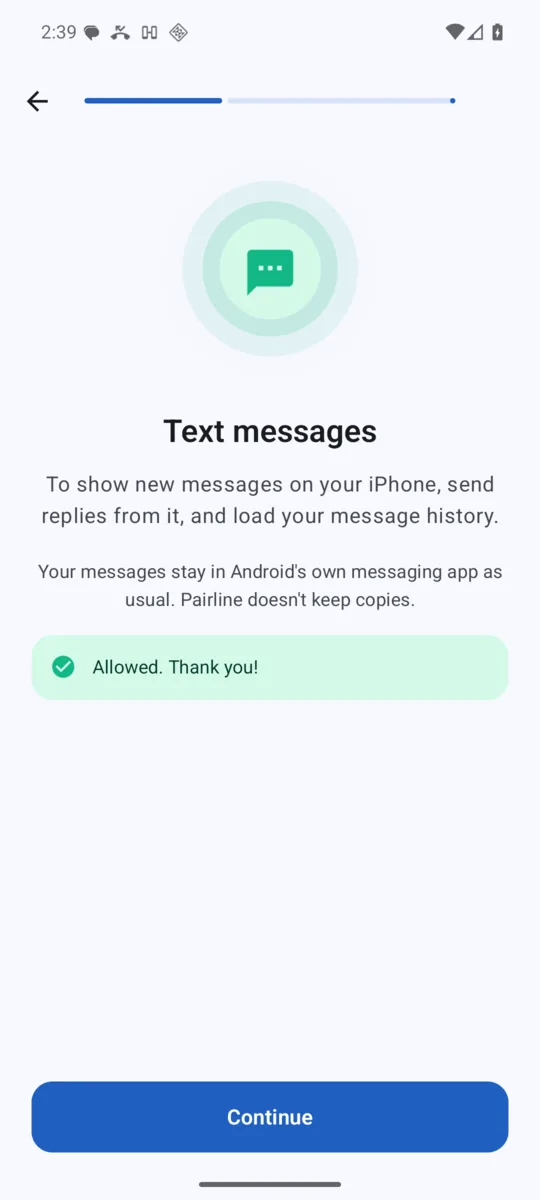
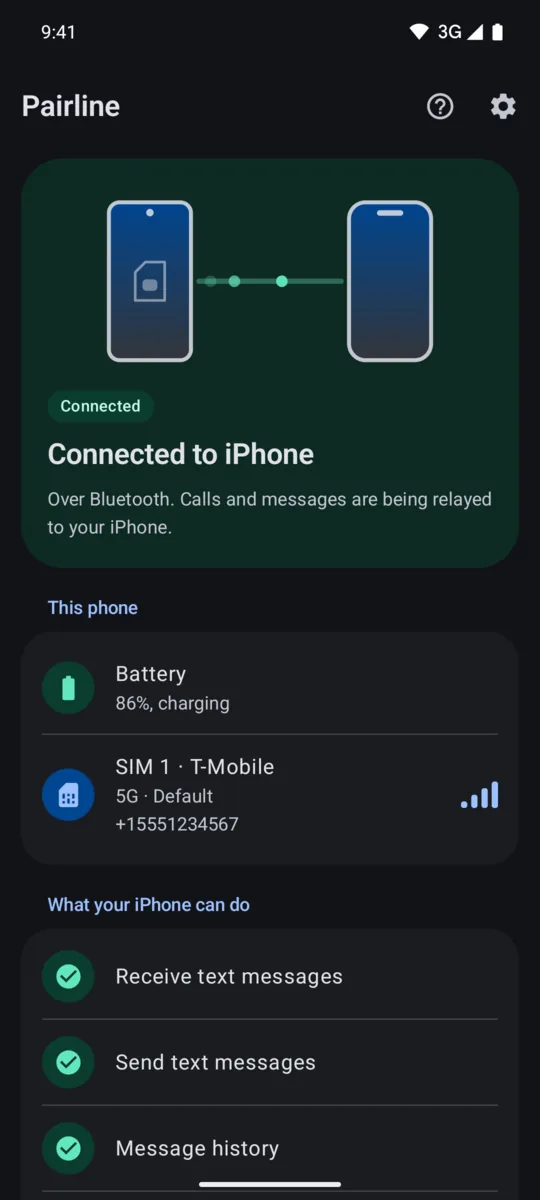
Pairline on the iPhone, and Pairline Bridge quietly doing its job on Android.
The story
Like a lot of people, I ended up with two phones: an iPhone I use all day, and an Android phone holding a SIM I can’t give up. It’s the number my bank, my family and far too many verification codes depend on. Carrying both, charging both and checking both got old fast.
There are apps that bridge the two, but the ones I looked at wanted an account, a phone-number sign-up and a server in the middle of my text messages, my contacts and my one-time codes. That is exactly the data I least want on someone else’s computer.
So I built Pairline the way I wanted it to work. The two phones talk only to each other, encrypted end to end. No accounts, no servers, no analytics. And because “trust me” isn’t good enough for an app that reads your SMS, the code is published so anyone can check it.
The Android app is free. The iPhone app has a one-time price, so I can keep improving it without ads, subscriptions or selling anything about you. I hope it makes your two-phone life a little simpler.
Get started
Download the free Pairline Bridge app from this site onto the Android phone that holds your SIM, and allow the permissions it explains.
Get Pairline from the App Store. Everything works free for 3 days.
Open the bridge app and scan the code it shows with your iPhone. You pair once, directly between the phones.
Leave the Android phone on a charger or in your bag, within Bluetooth range. Pairline keeps the link running in the background.
Pricing
No subscription and no account. The bridge is free; the iPhone app is a one-time purchase on the App Store.
Freealways
$11.99one-time purchase
If you don’t buy after the trial, the link pauses. Messages you already synced stay readable, and demo mode keeps working. App Store prices are set by Apple for each country and may include local taxes.
FAQ
No. There’s no sign-up, no login and no phone-number verification. You pair your phones once with a QR code, and that’s it.
No. Messages, contacts and calls travel only between your two phones, encrypted with keys created on them when you pair. The apps don’t use any Pairline server, so there is nowhere for your data to go.
Within Bluetooth range: the same home or office, or the same bag. Pairline is made for a bridge phone that stays near you.
For now the call audio stays on the Android phone, so you talk on it or on headphones connected to it. From the iPhone you answer, decline, end and place calls. Calls you place from the iPhone show “Calling…” until they end, because without extra setup Android doesn’t tell Pairline when the other person picks up, and the keypad, mute and speaker stay on the Android phone. Hearing and speaking through the iPhone is planned; it will need extra, optional setup on the Android phone and depend on its model.
An Android phone with Android 11 or later for the SIM, and an iPhone with iOS 16 or later. A spare Android phone that can stay on a charger makes an ideal bridge.
Google Play only allows SMS and call-log access for default messaging and phone apps, and a bridge is neither. So Pairline Bridge is offered here as a signed APK that you can verify yourself.
It’s a fair question. Every release is built by GitHub Actions from a tagged commit of the source code, signed with the same key, and published with its SHA-256 hash and certificate fingerprint. This site checks both before offering the file, and you can check them too: see how.
Buy Pairline once for $11.99 to keep everything working. There’s no subscription. If you don’t buy it, the link pauses: messages you already synced stay readable, and demo mode, settings and Restore Purchases keep working.
Yes. If the Android phone has two SIMs, or a SIM and an eSIM, you choose which one to use for each call and message.
Pairline uses Bluetooth Low Energy, which is designed to sip power. The bridge phone does keep a small background service running, so keeping it on a charger is a good idea.
Pairline is source-available: all of the code will be published before the first release so anyone can audit it, under a license that stops others from selling it. Each release becomes Apache-2.0 open source two years after it’s published. More about the license.
Install the bridge on Android, Pairline on your iPhone, and scan one code.
Pairline Bridge for Android
The first Android release is being prepared. Check back soon.